
432 Hz Converter - 440 Hz to 432 Hz
Convert entire music folders or audio CDs with 432 Hz Converter
Process single tracks or batch-convert complete music folders (including subfolders) with consistent settings. Supports popular formats such as MP3, WAV, M4A, AAC, AIFF/AIF, and FLAC.
Last updated on February 24, 2026 – 432-hz-converter.com by Jason Miller
432Hz converter with batch mode for 432 Hz and the most popular Solfeggio frequencies.
MultiEsoCon is a 432Hz converter designed to retune audio from the common 440 Hz reference to 432 Hz, as well as to other target frequencies. It supports both single-file workflows and batch conversion, so you can process complete music folders (including subfolders) and convert the contained audio files sequentially with consistent settings. The focus is on clean, high-quality conversion, practical file handling, and a straightforward workflow.
Convert 440 Hz to 432 Hz
Retune music from the standard 440 Hz reference (A=440) to 432 Hz (A=432) for consistent results across single files and batch conversions. Many listeners prefer 432 Hz as an alternative tuning reference.
432Hz Converter: Facts and Features
- Convert multiple audio files in one run
- Convert entire folders (including subfolders) to 432 Hz
- Convert audio CDs to 432 Hertz
- Regular updates
- Free support for questions and troubleshooting
- User-friendly interface for a quick start
- Compatible with Windows operating systems
- Supported formats: MP3, WAV, M4A, AIF/AIFF, AAC, FLAC
- Also supports common Solfeggio targets: 174 Hz, 285 Hz, 396 Hz, 417 Hz, 528 Hz, 639 Hz, 741 Hz, 852 Hz, and 963 Hz
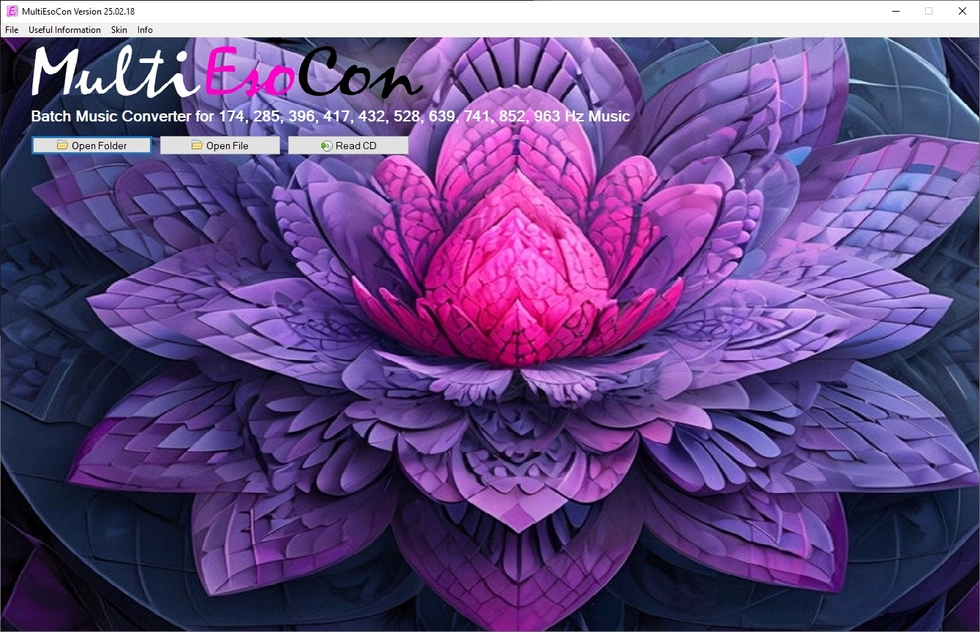 432Hz converter
Here is a free download link:
432Hz Converter Free Download
Online 432Hz Converter
Convert audio files to 432Hz and Solfeggio frequencies directly in your browser.
What Different 432Hz Converters Are Available?
Different converter types mainly differ in where the pitch shift happens—during offline file export, inside a live session, on a mobile device, in a browser, through automation, in hardware routing, or at the system output—so this section clarifies what each approach changes in control, reliability, and how the audio is delivered.
Offline Desktop File Converters
Offline desktop workflows center on rendering files to disk with repeatable settings. In that context, a 432Hz converter takes a source track, applies the pitch offset, and writes a new output without relying on real-time playback. Batch lists handle large folders while keeping parameters locked across every item. Export panels usually expose sample rate, bit depth, and channel retention.
Session-Based Real-Time Converters
Session workflows apply pitch processing while audio plays, keeping edits and routing inside the project. Placed on an insert or bus, the 432Hz converter can be limited to a single stem or applied to a full mix path. Formant and transient options can be toggled per source to reduce audible side effects. Immediate monitoring makes quick verification possible without intermediate renders.
Mobile Editing Converters
Mobile tools are optimized for short turnaround and simple file handling. A 432Hz converter on a device typically favors streamlined controls for pitch, trimming, and export. Preview playback helps confirm the result before committing storage space to a new file. Output presets often prioritize stable playback compatibility over deep technical configuration.
Browser-Run Converters
Browser-run conversion focuses on minimal setup and fast access from shared systems. Depending on implementation, the 432Hz converter may process audio locally in the browser or send it to remote processing before returning the finished file. File limits and connection stability influence how reliably long sources complete. Metadata behavior varies, so outputs can differ in tags and embedded artwork.
Scripted and Command-Driven Converters
Scripted workflows fit large catalogs that need consistent processing across many files. In automation, a 432Hz converter can run with fixed arguments, controlled naming, and predictable output paths. Logs and exit codes make failures visible instead of silently skipping problematic inputs. Pipeline steps can validate duration, channel count, and container integrity after export.
Dedicated Signal-Path Hardware Converters
Dedicated processors handle pitch conversion as part of an audio chain rather than a file workflow. With fixed buffers, a 432Hz converter in hardware delivers predictable latency characteristics for monitoring and routing. Digital connections reduce extra conversion stages when the chain remains digital. Quick bypass and level checks support verification during sessions.
System Output Converters
System output processing applies pitch conversion at the final playback stage instead of changing files. Routing rules determine whether a 432Hz converter affects one application, selected devices, or all output audio. Buffer tuning balances responsiveness against stability under load. A simple toggle enables rapid comparison while leaving original media untouched.
Important Requirements for a 432Hz Converter
Choosing the right tool comes down to measurable engineering details that affect sound quality and export reliability. The requirements below show what to check before relying on conversion in production, archiving, or batch processing. Each point targets a common failure mode, from audible artifacts to hidden time changes and unstable exports.
Clean Pitch Shifting with Controlled Artifacts
Conversion quality depends on suppressing warble, flutter, and metallic ringing across sustained material. Stereo coherence should remain intact so the 432Hz converter does not blur imaging or introduce phasey side effects. Harmonic-heavy content needs stable processing that avoids turning cymbals brittle. Consistent results across dynamic passages prevent quality shifts within the same track.
Explicit Time Behavior and Mode Separation
Pitch conversion can preserve duration or change playback speed, and that choice must be unmistakable. A 432Hz converter should present pitch-only and pitch-plus-speed modes with clear naming and locked export behavior. Duration-preserving paths should protect transients so timing and groove remain firm. Speed-change paths should report the new runtime to prevent downstream alignment surprises.
Predictable Format Handling and Channel Preservation
File handling needs to stay transparent from input decode to final container write. Channel count should remain unchanged unless the 432Hz converter is explicitly instructed to downmix or remap. Sample-rate behavior should be stated, including whether resampling occurs during processing or export. Container support should avoid hidden conversions that alter compatibility or metadata storage.
Bit Depth Controls and Dither Discipline
Bit-depth reduction requires care to avoid audible quantization effects. A 432Hz converter should offer dither choices when exporting to lower depths and keep that behavior consistent in batch runs. Depth and format settings should be visible at export time rather than implied. The output should remain free of truncation artifacts on quiet tails and fades.
Headroom Management and Metering
Pitch shifting can reshape peaks, making overs possible even when the source appears safe. Headroom targets and clear meters help a 432Hz converter prevent clipping before the file is written. Output trim should adjust level without changing the pitch result or introducing audible pumping. Automatic normalization should remain opt-in and clearly labeled when present.
Transient Protection and Formant Options
Percussive sources demand transient handling that limits pre-echo and preserves attack definition. For speech and vocals, the 432Hz converter should offer formant preservation with a simple bypass when it produces unnatural tone. Parameter limits should prevent unstable combinations that cause flutter, smearing, or rhythmic wobble. Consistent consonant clarity matters for intelligibility after processing.
Batch Consistency, Naming Safety, and Metadata Rules
Large jobs require deterministic behavior so repeated runs yield identical results. A 432Hz converter should define how tags, artwork, and timestamps are copied, rebuilt, or dropped. Naming templates and collision rules should prevent silent overwrites in folder processing. Per-file error reporting should surface failures without breaking the rest of the queue.
Performance, Latency Reporting, and Reliable Writes
Processing should scale from short clips to long-form audio without memory spikes or stalled renders. For real-time use, stable latency reporting keeps alignment predictable when a 432Hz converter runs in a monitoring path. Offline rendering should verify completed writes and avoid leaving ambiguous partial outputs. Deterministic exports and detailed logs support repeatable validation across reruns.
8 Reasons to Use a 432Hz Converter
The reasons below focus on practical workflow outcomes—consistency, verification, export control, and repeatable processing—so it is clear where conversion fits in real production, archiving, and listening setups.
- Conversion stays consistent across collaborators when the same 432Hz converter settings are applied to every stem and reference track.
- Archive workflows remain clean because a 432Hz converter can create new outputs while leaving original masters untouched.
- Repeatable A/B listening becomes straightforward since a 432Hz converter can generate a matched pair for quick comparison.
- Large libraries become manageable when a 432Hz converter supports deterministic batch jobs with stable naming and error reporting.
- Quality control improves when the 432Hz converter exposes time-mode selection so duration changes never happen by accident.
- Mix translation stays more predictable when a 432Hz converter preserves stereo phase relationships instead of widening or collapsing the image.
- Export deliverables stay standardized because a 432Hz converter can lock channel count, sample rate handling, and bit-depth behavior.
- Troubleshooting gets faster when a 432Hz converter produces logs or reports that capture settings, failures, and any resampling applied.
How Can I Recognize a Good 432Hz Converter?
This explains the concrete checks—pitch accuracy, artifact behavior, time-mode clarity, export integrity, and repeatability—that show whether conversion is trustworthy on real mixes, vocals, and long-form audio.
Pitch Accuracy Under Real Material
Accurate conversion shows up as stable pitch relationships, not as a single number on a settings panel. In practice, the 432Hz converter should keep intervals intact on chords and stacked harmonies. Test passages with sustained instruments reveal whether the pitch shift holds steady from start to finish.
Artifact Behavior on Sustains and Transients
Quality becomes obvious on long sustains, where warble and shimmer can creep in. A well-tuned 432Hz converter limits metallic ringing on cymbals and keeps bass notes from developing a watery chorus. Fast transients should retain attack definition instead of turning into softened clicks or smeared hits.
Stereo Phase and Imaging Consistency
Stereo material needs phase-coherent processing so the center image stays anchored. During conversion, the 432Hz converter should avoid left-right timing drift that widens unpredictably or collapses the field. Simple checks with headphones can reveal image wobble on wide pads and reverbs.
Mode Transparency for Time and Speed
Pitch shifting can preserve duration or change playback speed, and the difference must be explicit. A reliable 432Hz converter separates pitch-only processing from pitch-plus-speed processing with clear labels and consistent output behavior. Hidden time changes show up as altered runtimes, shifted groove, or misaligned edits.
Export Control and Format Predictability
Export settings should stay deterministic across runs and across file types. The 432Hz converter should preserve channel count unless a downmix is intentionally selected. Sample-rate handling should be disclosed, including whether resampling occurs during processing or only at export.
Headroom, Metering, and Peak Safety
Pitch processing can reshape peaks, even when the source looks safe. A competent 432Hz converter exposes meters that show peak behavior before writing the file, not after the fact. Headroom targets or true-peak protection help prevent clipped exports that only appear during playback reconstruction.
Repeatability, Logs, and Verifiable Output
Repeatable results matter when the same track gets processed more than once. The 432Hz converter should produce identical audio when the same input and settings are used again. Logs or export reports should capture key actions such as decode issues, channel mapping, and any resampling applied.
Which 432Hz Converter Is Right for Me?
This helps match converter type and feature depth to a specific workflow, so the choice aligns with file-based rendering, real-time monitoring, batch volume, and the kinds of audio being processed.
Selection depends on whether the goal is new files or real-time listening. A file-based 432Hz converter focuses on offline renders and repeatable exports. A monitoring path emphasizes stable latency and quick bypass without creating new outputs.
Different sources expose different weaknesses in pitch processing. Vocals often need formant options, while drums need transient protection to keep attacks crisp. When mixes get dense, the 432Hz converter should prioritize phase stability and low modulation artifacts on sustained elements.
Some workflows need only a fixed pitch shift and consistent export behavior. Others require algorithm selection, transient handling, and detailed time-mode control. The right 432Hz converter matches the required control depth without hiding critical behaviors behind vague labels.
Large libraries introduce operational requirements that small one-off jobs never hit. Batch queues, collision rules, and deterministic naming prevent overwrites and inconsistent settings. In high-volume runs, a 432Hz converter should fail loudly per file instead of silently skipping errors.
Output needs can include channel retention, sample-rate consistency, and predictable metadata handling. Artwork and tags should remain intact when the container supports them and when copy rules are enabled. A 432Hz converter should state exactly what happens to metadata during export.
Some workflows require proof of what happened during conversion. Export reports, logs, and deterministic results support repeatable checks and troublesho
Instructions for the 432Hz Converter
- Choose a target frequency. Select 432 Hz or another preset (including popular Solfeggio frequencies such as 174 Hz, 285 Hz, 396 Hz, 417 Hz, 528 Hz, 639 Hz, 741 Hz, 852 Hz, and 963 Hz).
- Select your audio files or a complete folder. Pick individual tracks or choose an entire music folder (including subfolders) to process multiple files in one run.
- Start the conversion. Click "Convert" to begin. The converter processes files sequentially and shows a progress bar for each track. When a track is finished successfully, it will be marked as OK.
- Open the output folder. Use "Open output folder" to jump directly to the converted files and quickly play or organize your newly tuned music.
What Is Special About This 432Hz Converter
This 432Hz converter offers two practical conversion workflows: folder conversion and audio CD conversion. Both are designed for batch processing, so you can convert multiple tracks efficiently while keeping results consistent.
Tutorial Video: 432Hz Converter – Convert Entire Music Folders (Batch Mode)
Folder mode: Convert all files from a folder
Select a folder (including subfolders) that contains the audio files you want to retune. The converter then processes all tracks in the folder and converts them to the selected target frequency—such as 432 Hz, 528 Hz, or 639 Hz—with a single start.
Tutorial Video: 432Hz Converter – Convert Audio CDs in Batch
Audio CD mode: Convert an audio CD from your CD drive
Insert an audio CD into the drive and start the conversion. The converter reads all tracks and converts them in batch mode to your chosen frequency (for example, 432 Hz, 417 Hz, or 963 Hz).
With both methods:
A separate output folder is created for each target frequency. This makes it easy to keep the same album or playlist available in different tunings and switch between 432 Hz and other frequencies whenever you want.
More features that set MultiEsoCon apart
MultiEsoCon converts music files to the selected frequency with a strong focus on clean, high-quality audio. Batch mode is especially useful when you want consistent results across multiple tracks, folders, or full albums in a single run. Audio pitch adjustment follows defined mathematical ratios rather than subjective perception. This 432Hz converter https://www.in-mediakg.com/432-hz-converter-healing-music/ recalculates frequency values across an entire audio file and applies consistent tuning without altering tempo or waveform structure. Processing preserves file integrity while shifting reference pitch from standard tuning to an alternative frequency. Batch conversion supports uniform results across multiple tracks. Signal processing remains deterministic and avoids dynamic resampling artifacts. Accurate frequency mapping distinguishes a reliable 432 Hz converter from basic pitch-shifting utilities. In addition, the 432Hz converter includes optional skins so you can personalize the interface to your preference.
General Functionality of a 432Hz Converter
A 432Hz converter retunes audio so music can be played back at an alternative tuning reference.
In practice, this means adjusting tracks from the common 440 Hz standard to 432 Hz (and, if desired, to other target frequencies). The workflow is straightforward: load your tracks, choose the target frequency, and start the conversion. Depending on the settings, the converter can adjust pitch while keeping timing natural, so the result remains pleasant and consistent across your music library.
Many music fans and audio enthusiasts use 432 Hz tuning to create alternate versions of songs for listening, practice, or curated playlists. With features such as batch conversion, preview options, and fine-tuning controls, tracks can be retuned efficiently without complicated steps.
For best results, converters often include practical audio tools such as volume normalization, basic tone shaping (equalizer), gentle noise reduction, fade-in/fade-out, metadata editing, and flexible output formats. After conversion, files are exported and ready for playback on a computer, streaming platforms, or audio equipment.
What Makes this 432Hz Converter Helpful
One of the biggest advantages is the ability to convert entire folder structures in one run. Instead of processing files one by one, you can select a complete directory (including subfolders), and all contained tracks are converted sequentially with the same settings. This saves time, keeps results consistent, and makes it easier to handle large music collections.
The converter can also process audio CDs. Collections stored on discs can be imported, retuned, and archived in modern formats—helpful for preserving older recordings and integrating them into a digital library.
During export, the converter creates a clear folder structure. For each target frequency, a dedicated output directory can be generated, for example:
- 432Hz Music
- 528Hz Music
- 396Hz Music
- 639Hz Music
- 852Hz Music
- 741Hz Music
- 174Hz Music
- 417Hz Music
- 285Hz Music
- 963Hz Music
This structured output makes it simple to browse and organize your files. Each converted track is placed in the correct folder, which keeps your library tidy and predictable.
As a result, the same song can exist in multiple tunings side by side. You can switch between 432 Hz, 528 Hz, or other frequencies depending on your preference—turning one music collection into a versatile library of alternate versions.
Facts Worth Knowing About a 432Hz Converter
Solfeggio Frequencies and Their Approximate Musical Notes
Solfeggio frequencies are often discussed alongside musical notes to make them easier to understand in a familiar Western music context. Because note names depend on the chosen tuning reference (for example, A=440 vs. A=432) and on the exact conversion method, the note matches below should be seen as approximate and primarily for orientation.
In common reference charts, 174 Hz is often associated with F3, while 285 Hz is commonly mapped to C#4. Moving higher, 396 Hz is frequently linked with G4, and 417 Hz with G#4. The widely known 432 Hz target used by many music converters is typically described as an alternative tuning reference for A4 (concert pitch A).
Further up the range, 528 Hz is often associated with C5, 639 Hz with D#5, and 741 Hz with F#5. 852 Hz is commonly mapped to G#5. Finally, 963 Hz is often linked with B5, near the upper end of typical vocal ranges.
Together, these frequency-to-note references provide a practical way to relate Solfeggio targets to musical notation. They can help musicians, producers, and listeners better understand what a converter is doing when it retunes audio to 432 Hz or to other commonly used frequencies.
432Hz Converter – Update 2026
The 2026 update of the 432Hz converter introduces faster conversion of entire music folders using batch mode. Large collections can now be processed more efficiently with fewer interruptions. Audio quality has been further improved to deliver clearer, more accurate sound. These enhancements provide a smoother and more reliable conversion experience overall.
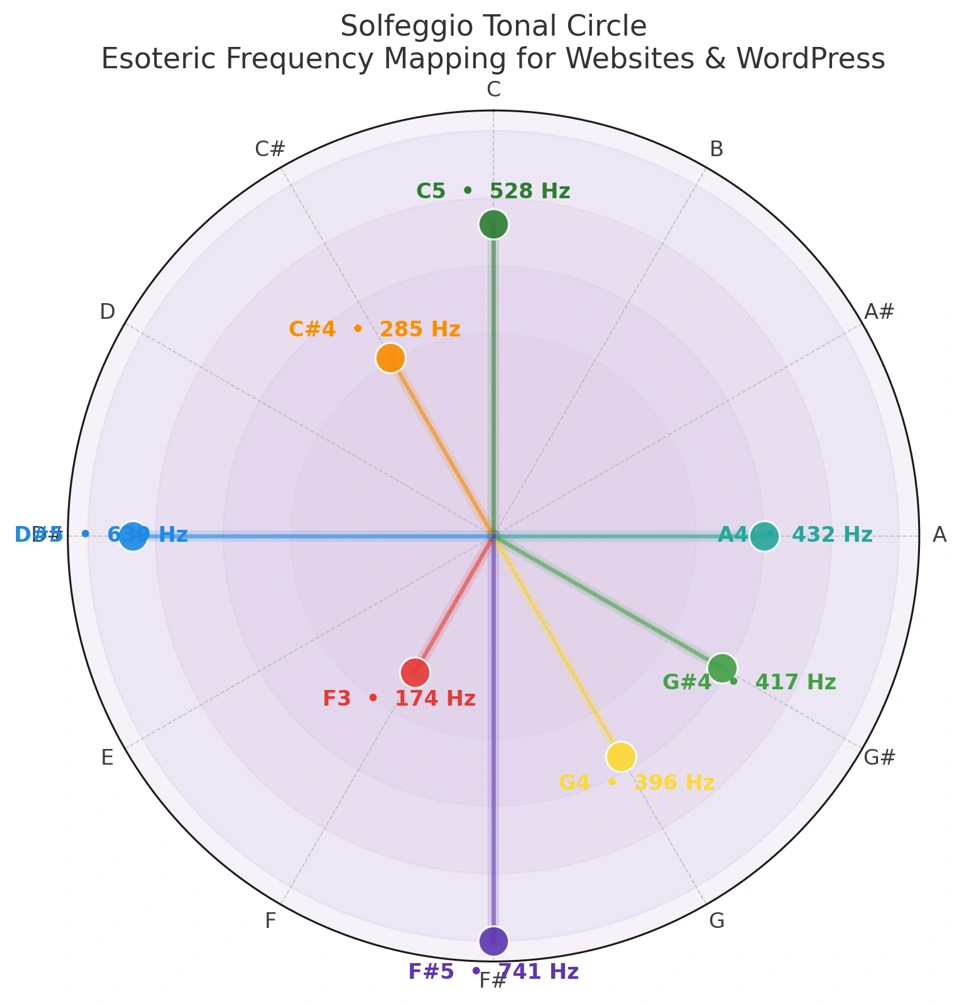
Here is an overview of the note values used by the 432Hz converter:
- Note: F3 at 174Hz
- Note: C#4 at 285Hz
- Note: G4 at 396Hz
- Note: G#4 at 417Hz
- Note: A4 at 432Hz (concert pitch A)
- Note: C5 at 528Hz
- Note: D#5 at 639Hz
- Note: F#5 at 741Hz
- Note: G#5 at 852Hz
- Note: B5 at 963Hz
Download the MultiEsoCon 432Hz converter free today.
Convert MP3, WAV, and FLAC files into 432Hz and other Solfeggio frequencies in just a few clicks – fast, accurate, and easy to use
Top 6 Best 432 Hz Converters to Convert Audio from 440 Hz to 432 Hz
Top 6 Best 432 Hz Converters for Music and Audio Files
Looking for the best 432 Hz converter? Here are the top 6 tools to convert music and audio files from 440 Hz to 432 Hz. We compare features, ease of use, and converter types to help you choose the right 432 Hz audio converter.
IN MEDIA KG - 432Hz Converter
The 432Hz converter from IN MEDIA KG software is a batch-capable 432 Hz audio converter for users who want to convert complete music folders and folder structures into alternative frequencies. In addition to 432 Hz, the program supports all common Solfeggio frequencies (including 174, 285, 396, 417, 528, 639, 741, 852, and 963 Hz) and works with popular audio formats such as MP3, WAV, M4A, AIFF, AIF, AAC, and FLAC.
A major strength of the tool is its batch conversion mode, which allows multiple songs to be processed in one run—ideal for large music collections. The software is designed with an intuitive interface for beginners and experienced users alike, while preserving audio quality during conversion. According to the product pages, the tool is regularly updated and includes help/support resources.
Visit IN MEDIA KG - 432Hz Converter »
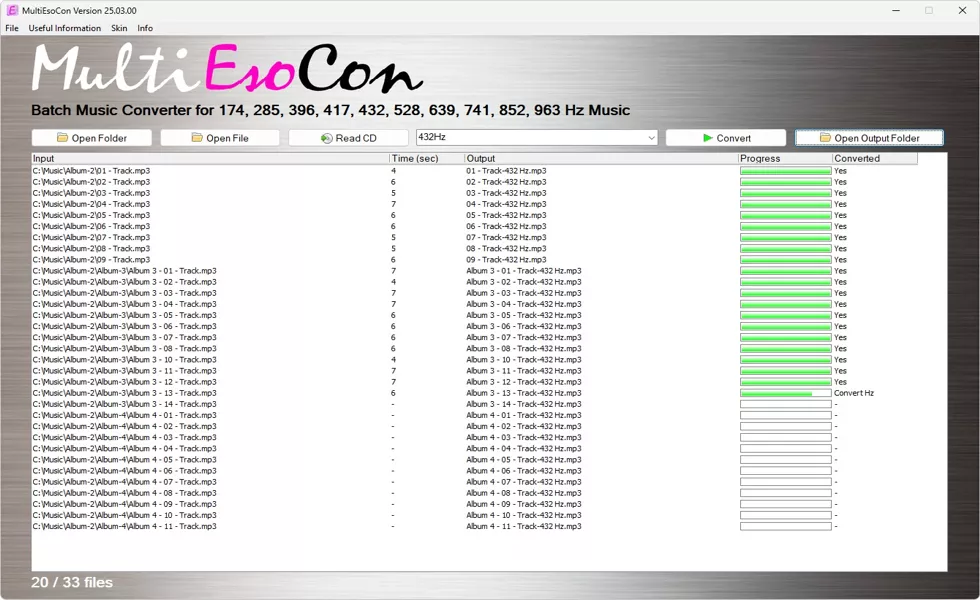
Image: IN MEDIA KG - 432Hz Converter
- Batch conversion: Converts multiple songs, folders, and folder structures in one process.
- Multiple frequencies: Supports 432 Hz, 528 Hz, and the full set of common Solfeggio frequencies.
- Wide format support: Compatible with MP3, WAV, M4A, AIFF, AIF, AAC, and FLAC.
- User-friendly interface: Suitable for beginners and advanced users.
- High audio quality: Designed to preserve sound quality during frequency conversion.
- Regular updates: Product pages state ongoing updates and improvements.
- Help & support: Documentation and customer support are available.
- Windows focus: The software is described for PC/Windows use, with no clear macOS version highlighted.
- Niche use case: Primarily useful for users specifically interested in frequency conversion workflows.
Conclusion:
IN MEDIA KG’s converter is a feature-rich 432 Hz converter that stands out for its batch processing, broad frequency support, and compatibility with common audio formats. Users who want to convert large music libraries to 432 Hz or other Solfeggio frequencies will especially benefit from its folder-based workflow and simple interface.
For Windows users looking for a dedicated frequency conversion tool, this software offers a strong mix of functionality and ease of use. The combination of batch mode, multiple format support, and regular updates makes it a practical choice for large-scale audio conversion tasks.
Rating: 4.5/5 Stars
Audioalter - 440 Hz to 432 Hz Converter
The Audioalter 432 Hz converter is a simple web-based tool for converting audio tracks from standard 440 Hz tuning to 432 Hz. It works directly in the browser and is especially useful for users who want a quick conversion without installing desktop software. The tool uses pitch shifting and applies the required adjustment of approximately -0.32 semitones to reach 432 Hz tuning.
A key advantage of Audioalter is its ease of use: users can upload an audio file, apply the preset, and download the processed result in just a few steps. Because it is an online tool, it is platform-independent and can be used on Windows, macOS, and Linux via a modern browser. It is ideal for occasional conversions, although advanced features such as batch processing are not the main focus.
Visit Audioalter - 432 Hz Converter »
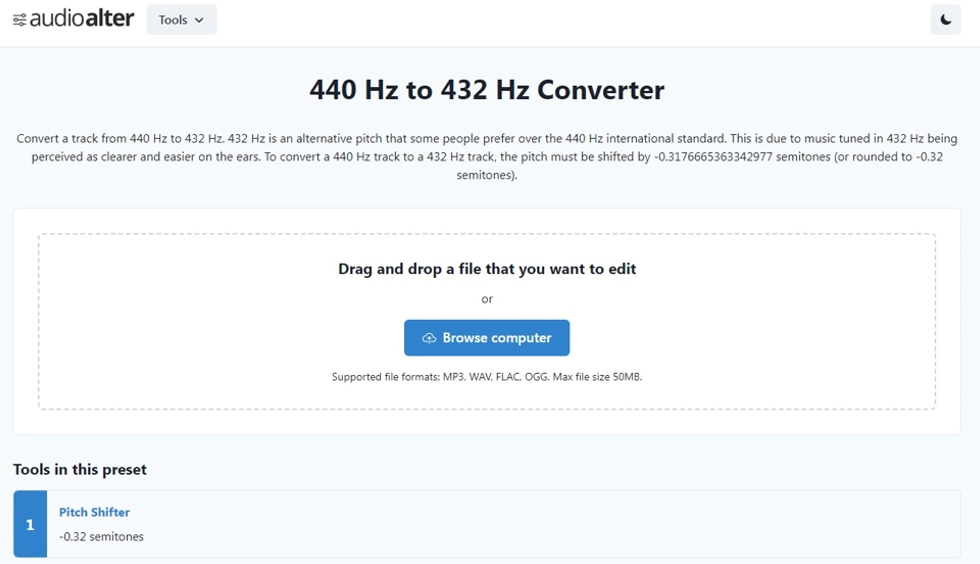
Image: Audioalter 432 Hz Converter
- Web-based tool: No software installation required.
- Very easy to use: Upload, convert, and download in a few clicks.
- Platform-independent: Works in the browser on most operating systems.
- Dedicated preset: Specifically designed for 440 Hz to 432 Hz conversion.
- Quick workflow: Good for fast single-track conversions.
- Free access: Can be used online without purchasing desktop software.
- Additional audio tools: Audioalter also offers other browser-based audio presets and tools.
- No batch processing focus: Less suitable for converting large music libraries at once.
- Upload/download workflow: Files must be processed through a web session.
- Limited advanced controls: Fewer professional options than dedicated desktop audio software.
Conclusion:
The Audioalter 432 Hz converter is a practical online solution for users who want to convert music from 440 Hz to 432 Hz quickly and without installing software. Its biggest strengths are simplicity, browser-based access, and a dedicated preset that makes the conversion process straightforward.
For occasional use and single-file conversions, Audioalter is a convenient choice. Users who need batch processing or advanced export settings may prefer desktop tools, but for fast and easy 432 Hz conversion, Audioalter performs well.
Rating: 4.3/5 Stars
SafeAudioKit - 440Hz to 432Hz Audio Converter
The SafeAudioKit 432 Hz converter is a free browser-based tool for converting audio from standard 440 Hz tuning to 432 Hz. It is designed for quick and simple use directly in the web browser, with no software installation required. Users can upload audio files from their device, drag and drop files, or import from cloud storage services such as Google Drive and Dropbox.
A standout feature is the privacy-focused processing: according to SafeAudioKit, files are processed directly in the browser and are not uploaded to a server. The tool supports common audio formats (such as MP3, WAV, AAC, and others) and offers a beginner-friendly workflow with upload, conversion, preview, and download in just a few clicks. This makes it especially suitable for occasional conversions and fast online use across different operating systems.
Visit SafeAudioKit - 432 Hz Converter »
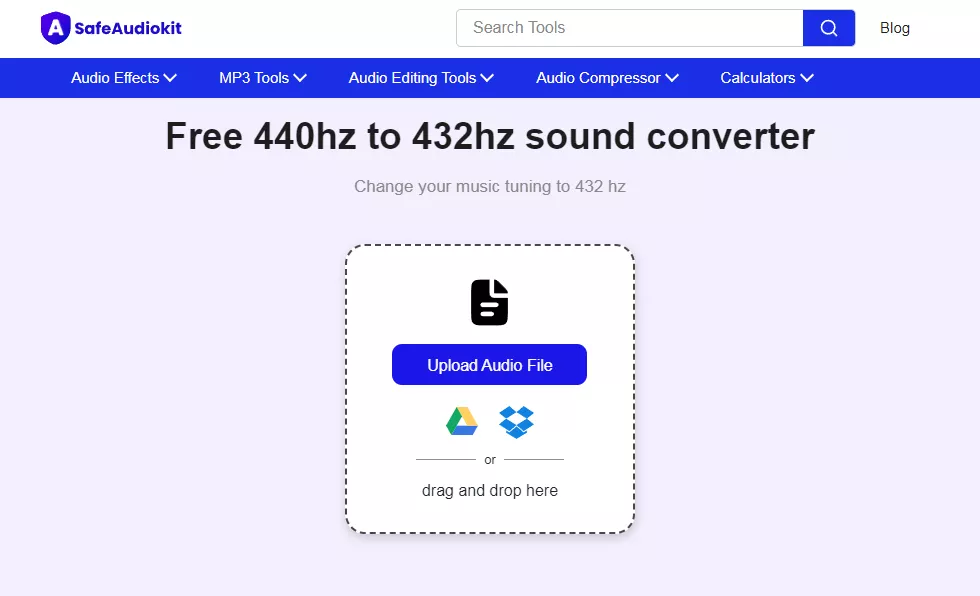
Image: SafeAudioKit 432 Hz Converter
- Web-based converter: No installation required, works directly in the browser.
- Beginner-friendly workflow: Upload, convert, and download in a few simple steps.
- Privacy-focused processing: Files are processed locally in the browser (according to the provider).
- Cloud import support: Can import files from Google Drive and Dropbox.
- Multiple audio formats: Supports common formats such as MP3, WAV, AAC, and more.
- Platform-independent: Usable on Windows, macOS, Linux, and other systems with a modern browser.
- Free to use: No subscription required for basic 440 Hz to 432 Hz conversion.
- No batch conversion focus: Better for single-file conversions than large music libraries.
- Limited advanced settings: Fewer professional controls than dedicated desktop audio software.
- Browser-dependent workflow: Requires a compatible browser and a stable web session.
Conclusion:
The SafeAudioKit 432 Hz converter is a convenient and accessible online solution for users who want to convert music from 440 Hz to 432 Hz without installing software. Its strongest points are ease of use, browser-based access, and helpful upload options including cloud storage integration.
For quick, occasional conversions, SafeAudioKit is a practical choice—especially for users who value a simple interface and privacy-focused in-browser processing. Users who need batch processing or advanced audio controls may prefer desktop software, but for everyday 432 Hz conversion tasks, this tool performs very well.
Rating: 4.2/5 Stars
Conversion-Tool.com - 432Hz Music Converter
The Conversion-Tool.com 432 Hz converter is a free web-based tool for converting music files to 432 Hz directly in the browser. It is designed for quick online use and allows users to upload a local file or provide a remote URL as the source. The converter is aimed at simple frequency conversion workflows without requiring desktop software installation.
A practical feature is the ability to define the source frequency (optional) before conversion, while the target frequency is preset to 432 Hz. The tool offers output format options such as MP3 and M4A/AAC, provides algorithm choices (including a time-based and an FFT/frequency-based method), and includes a straightforward step-by-step process for uploading, converting, and downloading the final file. It is especially suitable for occasional conversions and browser-based use across platforms.
Visit Conversion-Tool.com - 432 Hz Converter »
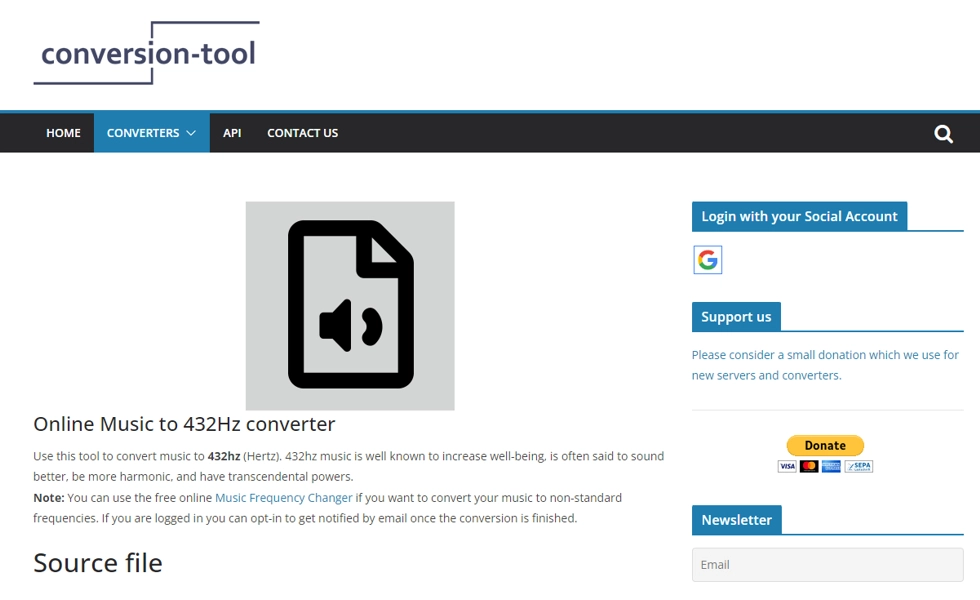
Image: Conversion-Tool.com 432Hz Music Converter
- Web-based converter: No installation required, works directly in the browser.
- Local file or remote URL input: Flexible source import options for online conversion.
- Preset 432 Hz target: Dedicated workflow for converting music to 432 Hz.
- Optional source frequency setting: Useful if the source is not standard 440 Hz.
- Format options: Supports output formats such as MP3 and M4A/AAC (and workflow guidance also mentions WAV).
- Algorithm selection: Includes two conversion algorithms (time-based and FFT/frequency-based).
- Simple guided process: Step-by-step instructions make it beginner-friendly.
- No batch-processing focus: Primarily designed for individual conversion jobs.
- Browser/upload workflow: Requires using a web session for file processing.
- Interface is utility-focused: Less modern and feature-rich than some dedicated desktop apps.
Conclusion:
The Conversion-Tool.com 432 Hz converter is a practical online option for users who want to convert music to 432 Hz without installing software. Its key strengths are browser-based access, flexible input options (local file or remote URL), and useful conversion controls such as source frequency and algorithm selection.
For occasional and straightforward 432 Hz conversion tasks, it offers a reliable workflow with clear instructions. Users who need advanced editing or large-scale batch processing may prefer desktop software, but for quick online conversion, Conversion-Tool.com is a solid choice.
Rating: 4.1/5 Stars
432convert.com - 432 Hz Converter
432convert.com is a professional online audio pitch converter that lets users convert music from standard 440 Hz tuning to 432 Hz directly in the browser. The web version supports common audio formats such as MP3, WAV, FLAC, M4A/AAC, and OGG, and is designed for fast conversion with a simple upload-process-download workflow.
A notable feature is batch support in the web tool (with a limited number of files per session), while the website also promotes a desktop app for unlimited batch conversion, faster offline processing, and additional advanced settings. The platform highlights high-quality processing, multi-format support, and a beginner-friendly 3-step interface, making it suitable for both casual users and more frequent conversion needs.
Visit 432convert.com - 432 Hz Converter »
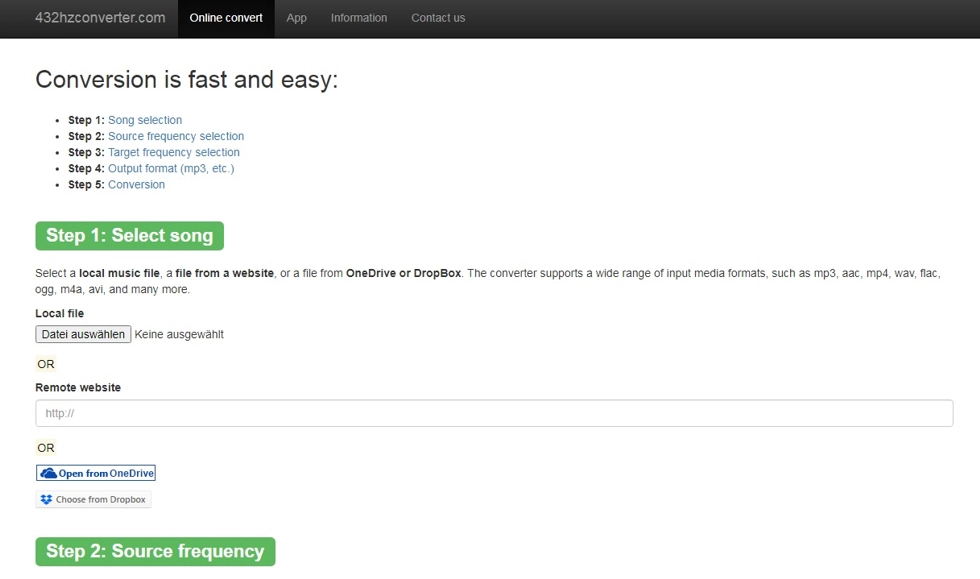
Image: 432convert.com 432 Hz Converter
- Web-based converter: No software installation required for the online version.
- Beginner-friendly workflow: Simple 3-step process (upload, process, download).
- Multiple audio formats: Supports common formats including MP3, WAV, FLAC, M4A/AAC, and OGG.
- Batch conversion support: The web version supports batch conversion (with limits).
- Desktop app option: Offers unlimited batch conversion, offline processing, and extra features via desktop app.
- High-quality processing focus: Marketed as preserving audio quality during conversion.
- Additional tools: Includes features/pages such as FAQ, frequency calculator, and related 432 Hz resources.
- Web version limitations: Free online conversion is limited (e.g., number of files per batch/session).
- Advanced features gated: Full unlimited batch/offline capabilities require the desktop app.
- Niche use case: Primarily useful for users specifically interested in 432 Hz or alternative tuning conversion.
Conclusion:
432convert.com is a polished and feature-rich online solution for converting audio to 432 Hz, with a strong focus on ease of use and multi-format compatibility. The web version is convenient for quick conversions, while the desktop app expands the workflow with unlimited batch processing and offline privacy-focused use.
For users who want an accessible browser-based converter with a clear upgrade path to more advanced features, 432convert.com is a strong option. It combines a modern interface, useful supporting tools, and flexible conversion workflows for both casual and frequent users.
Rating: 4.0/5 Stars
Microsoft Store (teq-IT) - 432Hz Music Converter
The Microsoft Store app "432Hz Music Converter" by teq-IT is a Windows-based frequency conversion tool for changing the frequency, pitch, and tempo of audio files to a target frequency such as 432 Hz. The app is designed for users who want a dedicated desktop solution instead of a browser-based converter, with support for custom input and output frequencies.
According to the Microsoft Store listing, the app allows arbitrary source and target frequencies and is positioned as a music conversion utility for Windows users. As a desktop app, it is better suited to local/offline workflows than web converters, making it a practical option for users who prefer processing audio files directly on their PC.
Visit Microsoft Store (teq-IT) - 432Hz Music Converter »
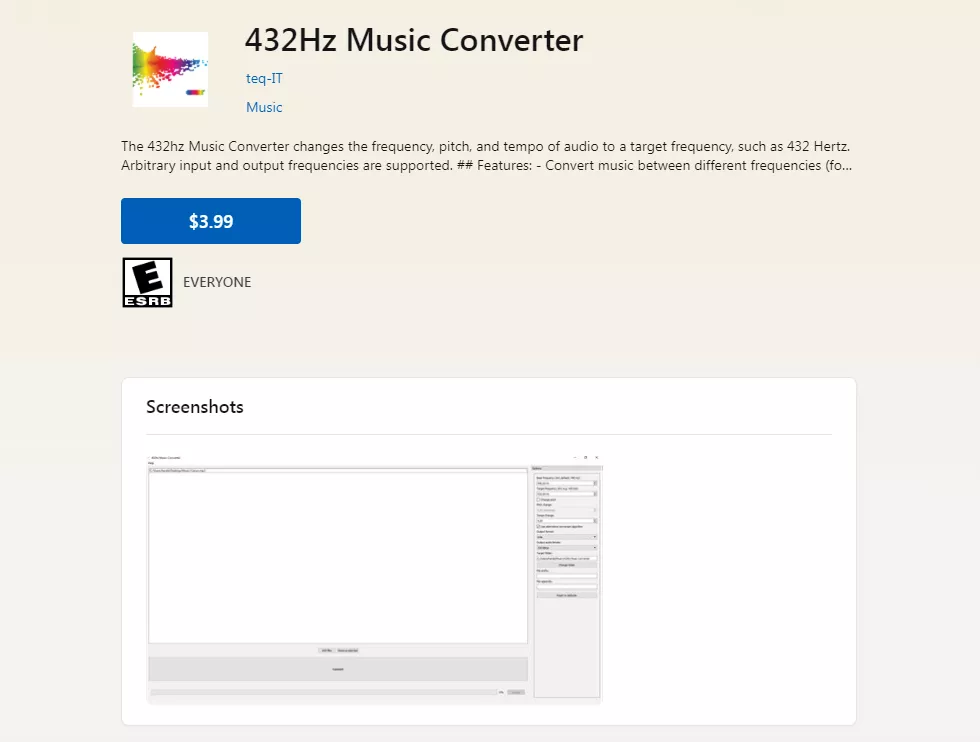
Image: Microsoft Store teq-IT 432Hz Music Converter
- Desktop app for Windows: Local PC workflow without relying on browser-based tools.
- Custom frequency conversion: Supports arbitrary input and output frequencies.
- 432 Hz support: Specifically suitable for converting music to 432 Hz.
- Offline use: Audio processing can fit users who prefer local desktop handling.
- Microsoft Store distribution: Easy installation and updates through the Windows Store ecosystem.
- Dedicated utility: Focused app for frequency, pitch, and tempo conversion tasks.
- Suitable for repeat use: More practical than web tools for frequent desktop conversions.
- Windows-only: Not cross-platform for macOS or Linux users.
- Store-based availability: Requires Microsoft Store access and a compatible Windows setup.
- Less immediate than web tools: Installation is required before first use.
Conclusion:
The teq-IT "432Hz Music Converter" on Microsoft Store is a solid Windows desktop option for users who want local frequency conversion with support for custom source and target frequencies. Its desktop-first workflow makes it a good fit for users who prefer offline processing and a dedicated app over browser-based tools.
For Windows users looking for a focused 432 Hz converter with broader frequency adjustment capabilities, this app is a practical choice. Users on other platforms or those who want instant no-install conversion may prefer web-based alternatives.
Rating: 4.0/5 Stars


